Loading Rooms
Currently, Ajishio only supports loading rooms in LDtk format. First download the LDtk editor from the website, and create your room (there are some good tutorials out there on how to do this). Once you have your room, make sure to enable the Super simple export option in the Project Settings tab. This will export the room as a set of files in a folder that Ajishio can load directly.
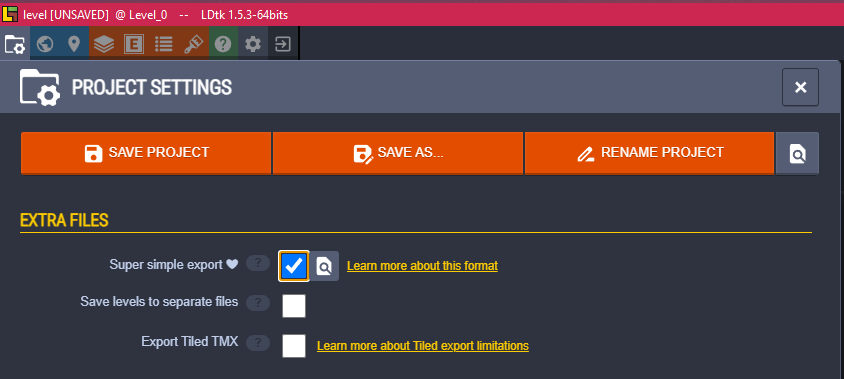
Tip: Save your LDtk project directly in your project directory so you can re-export without copying files manually.
Copy the simplified/ folder generated by LDtk into your project directory. Then load it with
aj.load_ldtk_levels, passing the path to simplified/ as the argument. It returns a list of
aj.GameLevel objects to pass to aj.set_rooms.
In order for the engine to instantiate your tiles and entities, define classes with the same name
as they appear in LDtk and register them with aj.register_objects before calling
aj.game_start.
See the platformer
demo project for a full example.